Admin Settings
On the Admin page, you can view users' access grants and your organization's cloud storage locations. You can also get an access token to authenticate with flowctl and manage billing information.
Account Access
The Account Access tab shows you all provisioned access grants on objects to which you also have access. Both users and catalog prefixes can receive access grants. These are split up into two tables called Organization Membership and Data Sharing. Each access grant has its own row, so a given user or prefix may have multiple rows.
For example, if you had read access to foo/ and write access to bar/, you'd have a separate table row in the Organization Membership table for each of these capabilities.
If users Alice, Bob, and Carol each had write access on foo/, you'd see three more table rows representing these access grants.
Taking this a step further, the prefix foo/ could have read access to buz/. You'd see this in the Data Sharing table,
and it'd signify that everyone who has access to foo/ also inherits read access to buz/.
Use the search boxes to filter by username, prefix, or object.
You can manage access by generating new user invitations, granting data sharing access, or selecting users or prefixes to revoke access.
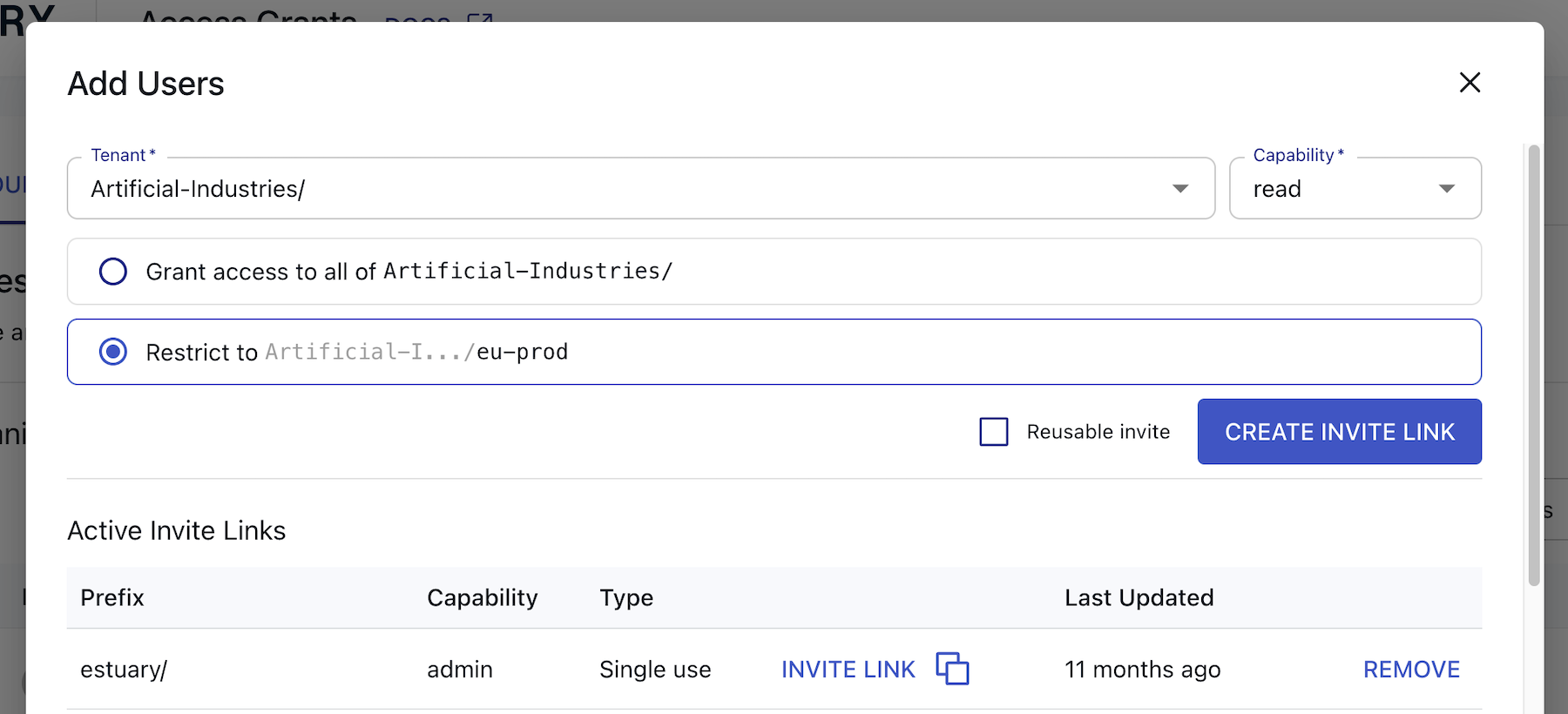
When adding a new user to a tenant, you may choose:
- Whether to grant access to the entire tenant or a sub-prefix within the tenant
- The user's read/write capabilities for that prefix
- Whether the invitation should be single-use or reusable
Generating a new invitation will create a URL with a grant token parameter. Copy the URL and share it with its intended recipient to invite them to your organization.
Learn more about capabilities and access.
Settings
The Settings tab includes additional configuration, such as organization notifications and storage mappings.
Organization Notifications
Here, you are able to configure which email address(es) will receive notifications related to your organization or prefix.
You can create new alert subscriptions or edit existing ones to choose which alert types you'd like to receive.
Collection Storage
This section provides a table of the cloud storage locations that back your collections. You're able to view the table if you're an admin.
Each top-level Estuary prefix is backed by one or more cloud storage buckets. If you have not set up your own storage bucket(s) yet, your data is stored temporarily in Estuary's cloud storage bucket.
Learn more about storage mappings.
Data Planes
The Data Planes section provides a table of all available data plane options, broken out by Private and Public data planes.
You can find information here related to connecting and allowing access to your data plane of choice. See Allowlisting IP Addresses or IAM authentication for more.
Billing
The Billing tab allows you to view and manage information related to past usage, the current billing cycle, and payment methods.
Your usage is broken down by the amount of data processed and number of task hours. See Estuary's pricing docs for details.
View usage trends across previous months in the Usage by Month chart and preview your bill based on usage for the current month. If you are on the free tier (up to 2 connectors and 10 GB per month), you will still be able to preview your bill breakdown, and will have a "Free tier credit" deduction. To help estimate your bill, also see the Pricing Calculator.
To pay your bill, add a payment method to your account. You can choose to pay via card or bank account. You will not be charged until you exceed the free tier's limits and have finished your subsequent trial period.
CLI-API
The CLI-API tab provides the access token required to authenticate with flowctl. You can also revoke old refresh tokens.