Azure IAM Authentication
Estuary supports IAM authentication with Azure services such as Azure SQL and Azure Storage using an application created by you which has access to the resources, and has trusted identity tokens signed by us as the OIDC (OpenID Connect) provider. Note however that not all connectors currently support using IAM authentication.
App Registration with Resource Access
You need to have an Azure App Registration set up which has access to the resource you are trying to authenticate with. Follow the guide here to register an application has access to your resource.
Federated Credentials
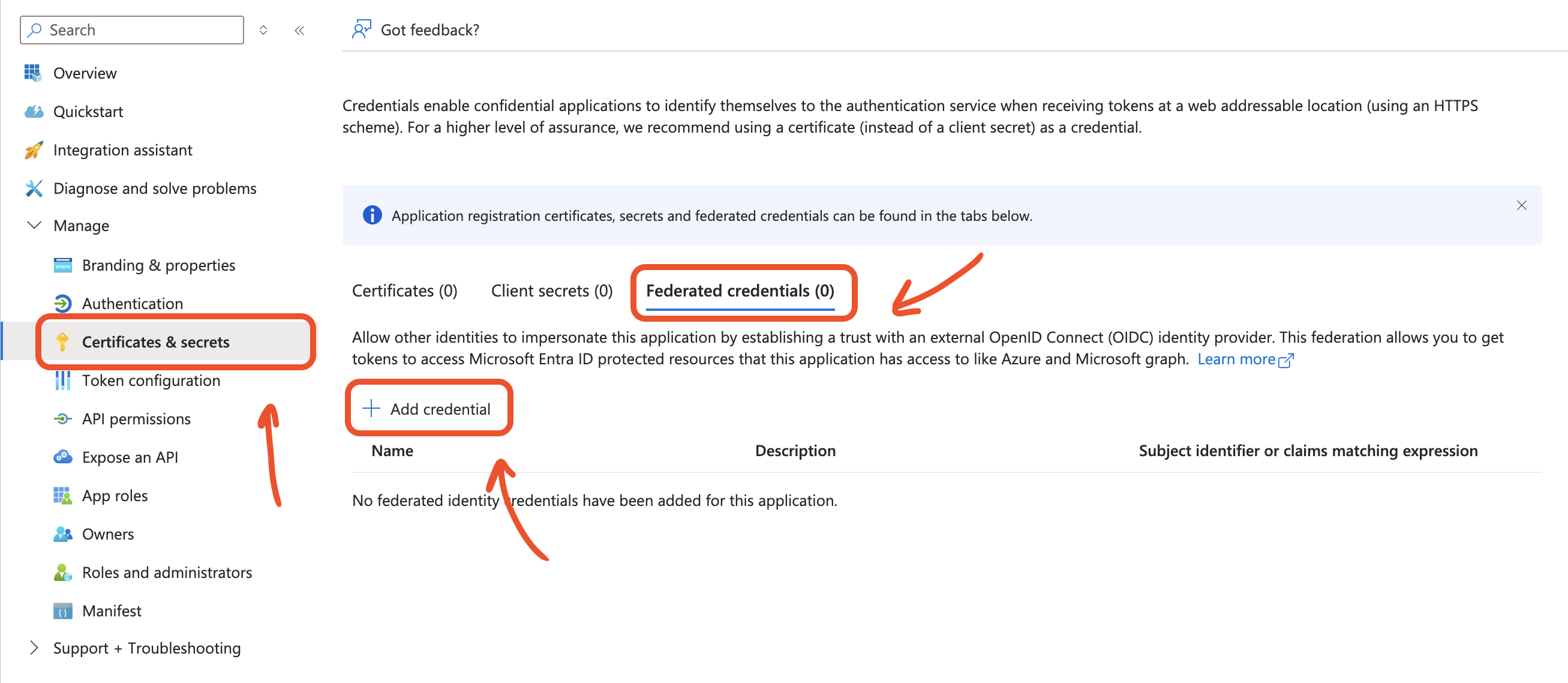
Next, you need to create a Federated Credential by heading to Certificates & Secrets section of your app, and creating a new provider.
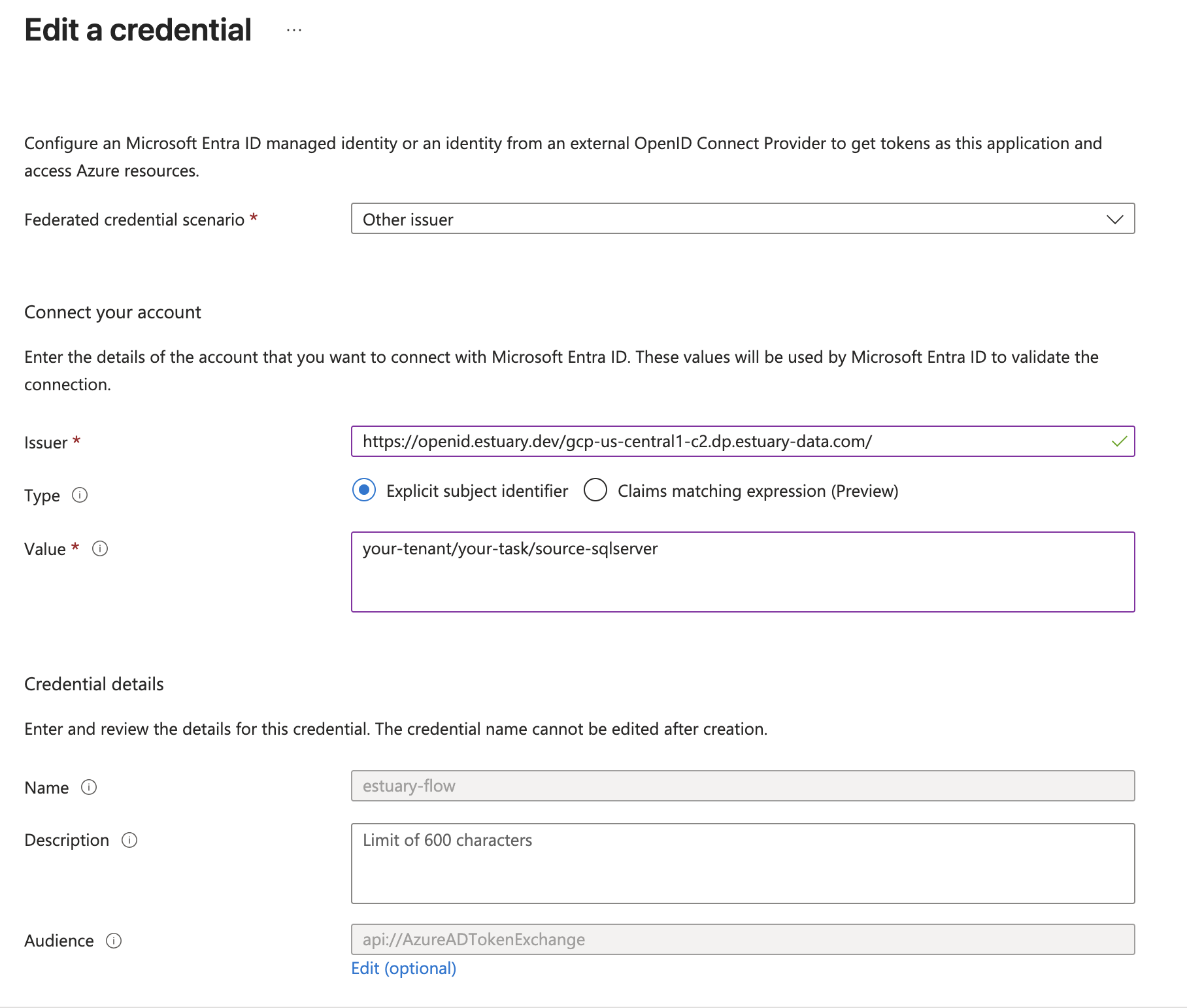
The subject should be set to your task name while the issuer will depend on your chosen data plane in Estuary.
To find the correct issuer value:
-
Navigate to the Admin section of your Estuary dashboard.
-
Select the Settings tab.
-
Find the Data Planes table and make sure you're viewing the correct tab for your data plane (either public or private). Select your data plane to open additional configuration details.
-
Copy the value from the IAM OIDC field. This should look something like:
https://openid.estuary.dev/your-data-plane-identifier.dp.estuary-data.com/
For example, these are the issuer values for a few common public data planes:
| Data Plane | Issuer |
|---|---|
| US east-1 AWS data plane | https://openid.estuary.dev/aws-us-east-1-c1.dp.estuary-data.com/ |
| US central-1 GCP data plane | https://openid.estuary.dev/gcp-us-central1-c2.dp.estuary-data.com/ |
| US west-2 AWS data plane | https://openid.estuary.dev/aws-us-west-2-c1.dp.estuary-data.com/ |
| EU west-1 AWS data plane | https://openid.estuary.dev/aws-eu-west-1-c1.dp.estuary-data.com/ |
Now take note of the Application ID and Tenant ID of your App Registration and use it when configuring Azure IAM.